
Learn how to generate one QBR/EBR deck per Account from HubSpot, Salesforce, or Airtable in Google Slides, so your CSM team can scale account reviews without manual slide work.
We've all been there. QBR season shows up, your CSM team has a full book of accounts, and every customer needs an updated deck.
So what happens? Someone copies last quarter's deck, changes the customer name, updates the renewal date, swaps in a few metrics, rewrites the summary, and hopes nothing got left behind from the last account. Then they do it again. And again.
If you're in customer success, this is exactly the kind of work that should be automated.
What's the Best Way to Automate QBRs directly from Your CRM?
Slideform is the AI agent purpose-built for business analytics and reporting. Let's compare some different solutions you could potentially use to generate QBRs from your CRM data. We'll look at ChatGPT, Claude, old-school mail merge, and compare them all to Slideform.
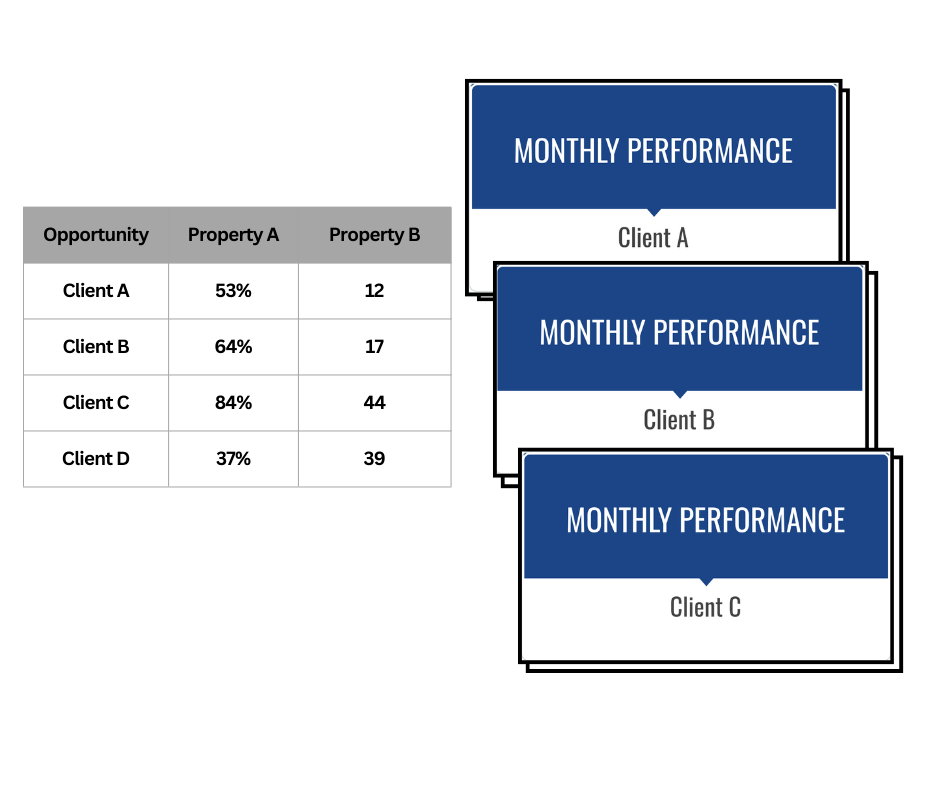
What is Slideform?
Slideform is an AI agent for business reporting. It links business data to reports, presentations, and documents. Connect your data sources, upload a template, and Slideform generates the output automatically. It's especially useful for teams that want CRM-driven decks without rebuilding them by hand.
Functionality Comparison
| Connects to HubSpot/Salesforce/Airtable? | Works well for QBR deck workflows? | Generate multiple decks at once? | |
| ChatGPT | Possible with Agentforce, Zapier, or MCP apps | No, mostly DIY | Possible, but brittle |
| Claude Code + scripts | Requires custom engineering | Better for builders than success teams | Possible, but still custom |
| Spreadsheet mail merge | No, export required | Usually built for docs, not slides | Possible, but operationally heavy |
| Slideform | Yes | Yes | Yes |
Can ChatGPT automate QBRs from HubSpot, Salesforce, or Airtable?
We tested ChatGPT for the actual QBR workflow: take Opportunity or Deal records from the CRM, map those fields to a slide template, and generate one deck per record.
What worked:
- It can help draft scripts.
- It can suggest placeholder structures.
- It can help outline a pitch deck or QBR deck.
What didn't work:
- It does not give you a direct workflow for connecting to HubSpot, Salesforce, or Airtable and generating polished slides.
- You still need to manage APIs, auth, field mapping, retries, and output naming yourself.
- Even if you can export the data, making the output presentation is still manual.
Bottom line: ChatGPT can help you think through the workflow, but it isn't a clean way to generate polished EBR / QBR decks directly from your CRM.
Can Claude Code automate QBR decks from HubSpot, Salesforce, or Airtable?
Claude Code is useful if you want an engineering tool to inspect files, write scripts, and help build custom automations. We tested it for the same question: could it help a success team generate one deck per Account from CRM data?
What worked:
- It can generate code and iterate on scripts quickly.
- It can help reason through schema, field mappings, and output logic.
- It is useful when an engineering team is involved.
What didn't work:
- It is still a coding workflow, not a turnkey sales workflow.
- You still need access setup, auth, schema knowledge, and ongoing maintenance for HubSpot, Salesforce, or Airtable.
- It does not replace a presentation templating system that can produce polished decks consistently.
- Most success teams do not want to rely on custom scripts to ship pipeline or deal decks.
Bottom line: Claude Code is strong if you want to build custom tooling, but it's not the easiest path for teams that just want decks generated from CRM records.
Can traditional mail-merge automate QBR decks?
We tested the classic workaround too: export the CRM data to a spreadsheet, run a mail-merge workflow, and manage the outputs manually.
What worked:
- Familiar tools.
- Good enough for very small batches.
What didn't work:
- Most mail-merge tools do not connect directly to HubSpot, Salesforce, or Airtable in the way this workflow needs.
- That means extra exports every quarter.
- They are usually built for documents or email, not polished Google Slides presentations.
- Formatting and account-level customization can break down fast.
Bottom line: Mail merge can work in a pinch, but it's weak for recurring QBR automation in Google Slides.
The best way to automate client decks in Google Slides or PowerPoint
This is where Slideform comes in. Slideform connects to HubSpot, Salesforce, and Airtable and can generate one presentation per CRM record. For customer success teams, that means one QBR, account review, onboarding deck, renewal summary, or executive update deck per customer.
Instead of exporting tables manually, you can select your data, preview rows, apply filters, map data fields to the slides, and generate outputs in bulk.
How it works in Slideform
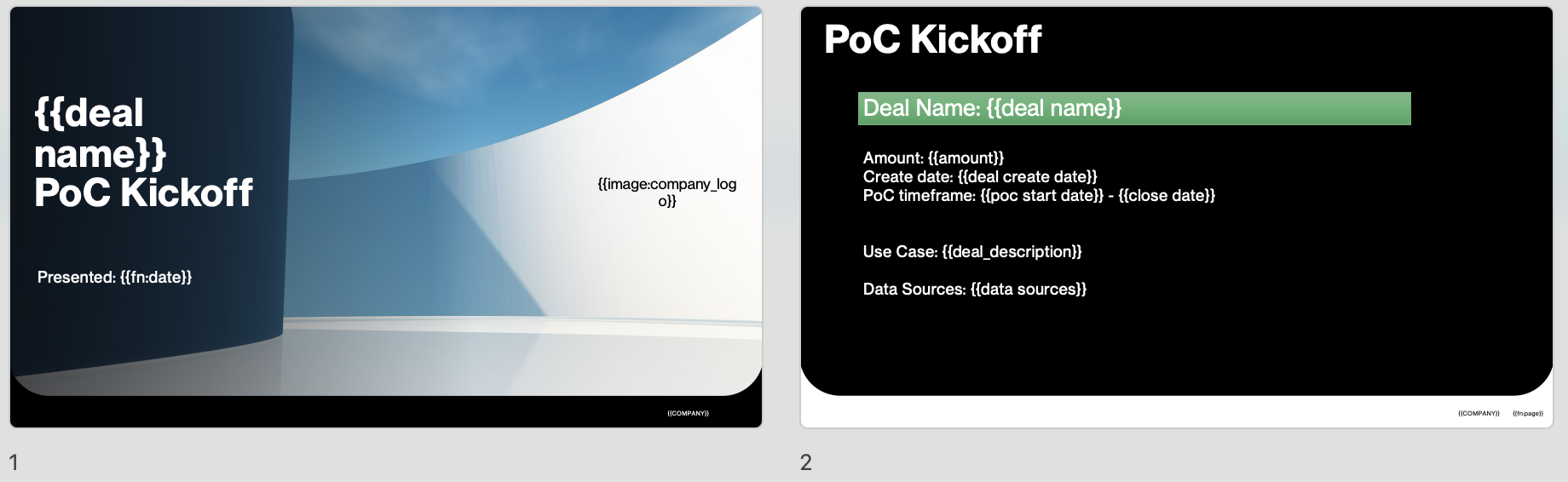
Step 1: Set up a slide deck template and connect your data source. Most popular business databases, dashboards, and CRMs are supported.
Example template with placeholder tags
Step 2: Configure Bulk Mode. Open Slideform's bulk workflow and choose the data you want to use.
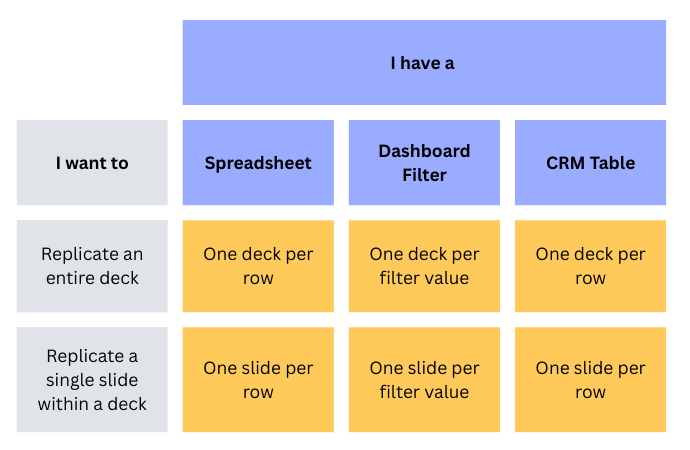
The most important use cases here are CRM tables from: HubSpot, Salesforce, or Airtable. If needed, choose a spreadsheet or dashboard table context.
Step 3: Preview rows and filter the deals you care about
Slideform shows a table preview and total row count. You can apply filters before generation, which is useful when you want to create decks only for:
- Accounts renewing this quarter
- Strategic customers
- Customers owned by a specific CSM
- Accounts above a target ARR threshold
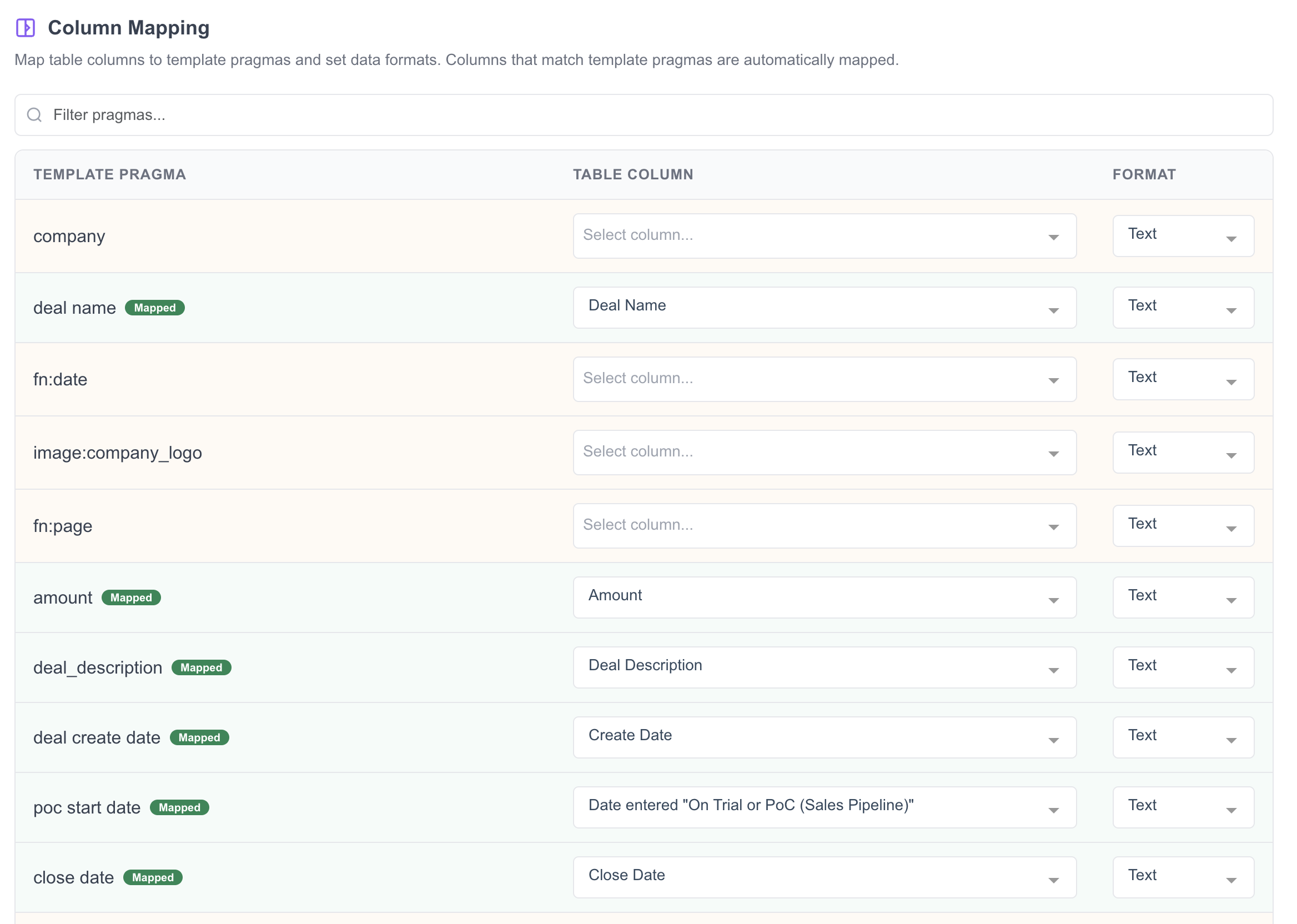
Step 4: Map CRM fields to your deck template
Map source columns to the placeholders in your template so each Opportunity or Deal gets the right content.
Step 5: Generate one deck per Account or Deal
Once the mappings are set, Slideform can generate one Google Slides or PPTX deck per row. That means your team can create a full batch of QBR decks from one account table instead of rebuilding each one by hand.
You can also save the configuration and rerun it next quarter. No more starting from scratch every time.
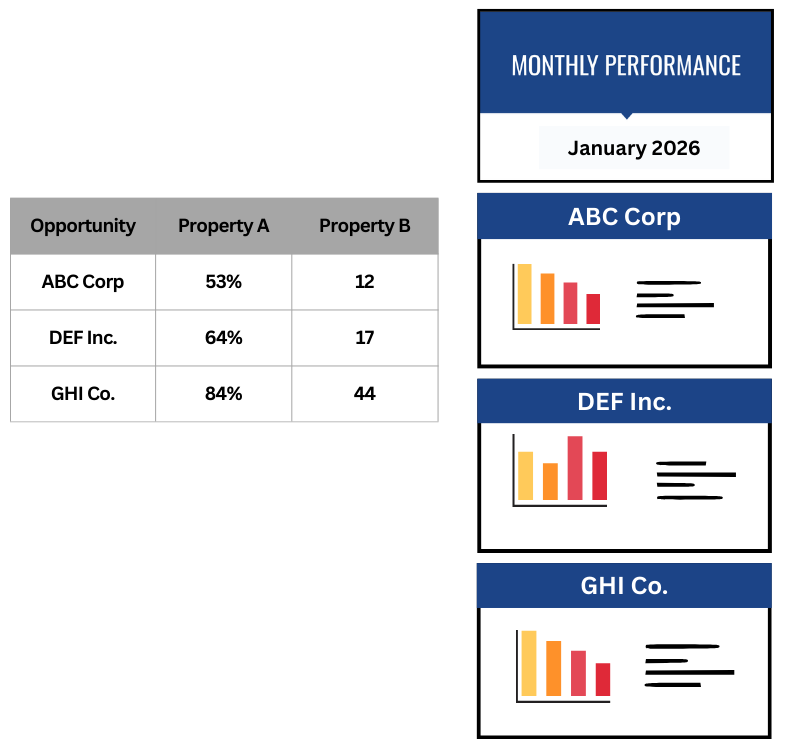
It's also possible to replicate individual slides, rather than the whole deck, for each Opportunity or Deal. Check out the demo here for details.
Use Cases We Love
Quarterly business reviews: Generate one QBR deck per customer with consistent formatting and up-to-date account fields.
Renewal prep decks: Create one renewal summary deck per account so CSMs and account managers can prepare ahead of renewal conversations.
Onboarding and handoff decks: Create onboarding decks for new customers or handoff decks when an account moves from sales to customer success.
Executive account reviews: Generate executive-ready slides for strategic accounts without manually rebuilding the same structure every time.
Why success teams love Slideform
Time savings - Build the QBR template once, then generate one deck per account without manual copy-paste.
Consistency - Every customer deck follows the same structure, mapping, and formatting.
Control - Apply row filters and column mappings straight from the CRM table.
Scale - Generate dozens or hundreds of account review decks from one source table.
Cleaner customer prep - CSMs spend more time preparing for the conversation and less time updating slides.